

Do you use CML Design for your reputation management?
If so, follow these steps to respond to reviews you’ve received:
Step 1: Login to your review dashboard (contact us if you need a reminder of the URL) and click on the REPUTATION MANAGER.
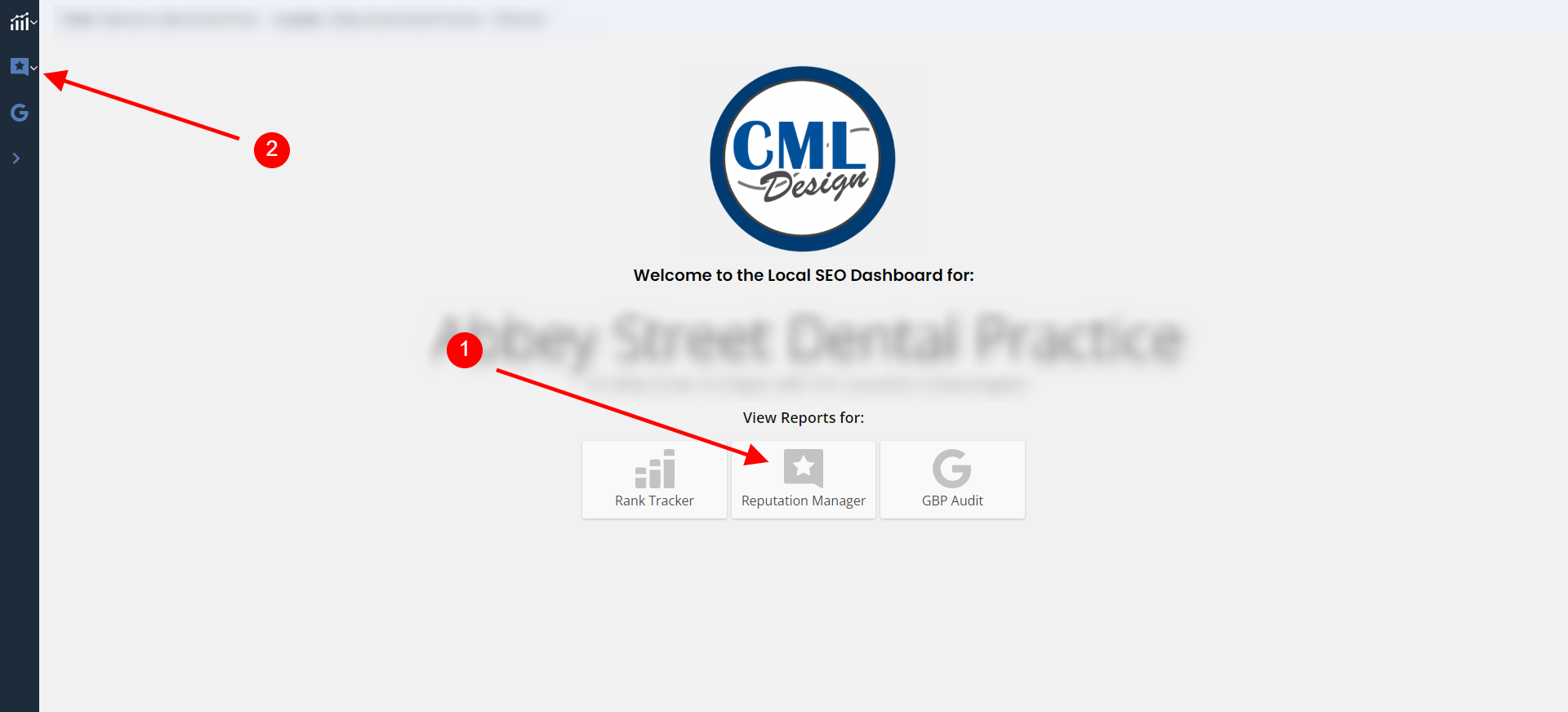
Step 2: Click on the REVIEWS button to bring up the individual reviews.
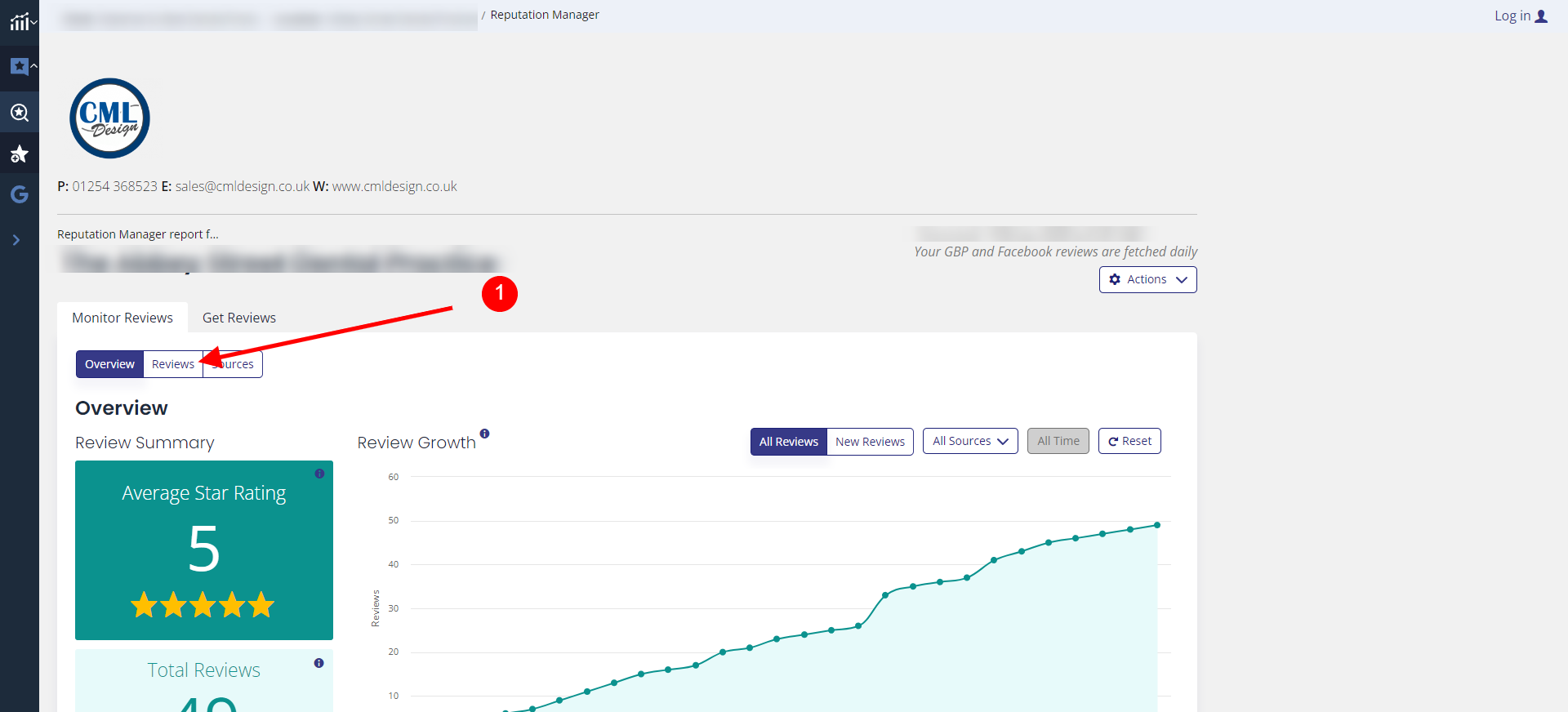
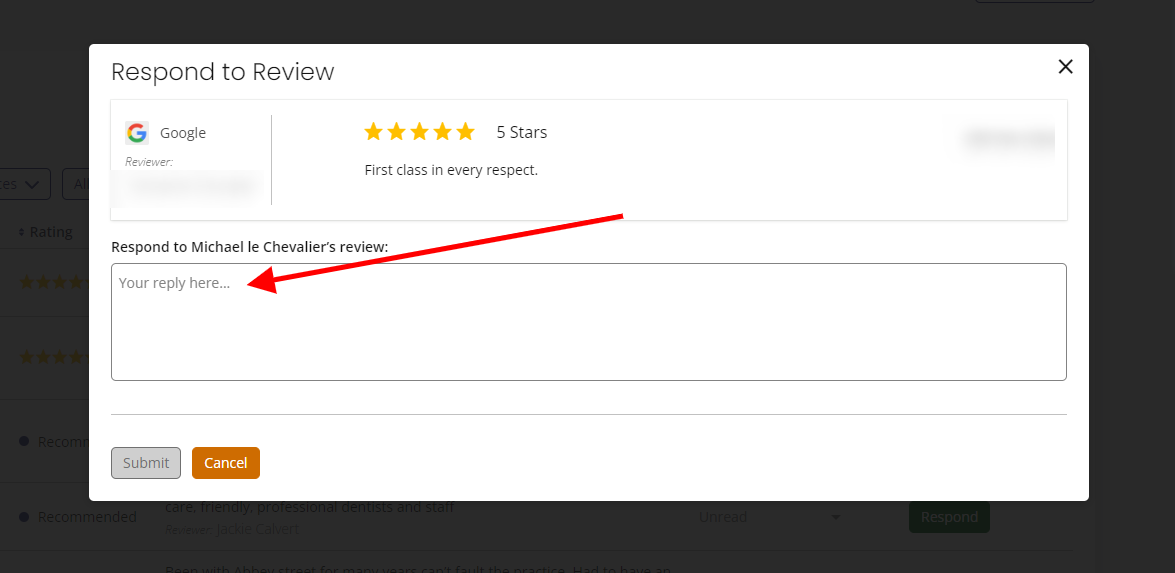
Step 3: Click the RESPOND button next to the individual reviews and update the STATUS accordingly for easy reference in future for you and your team.
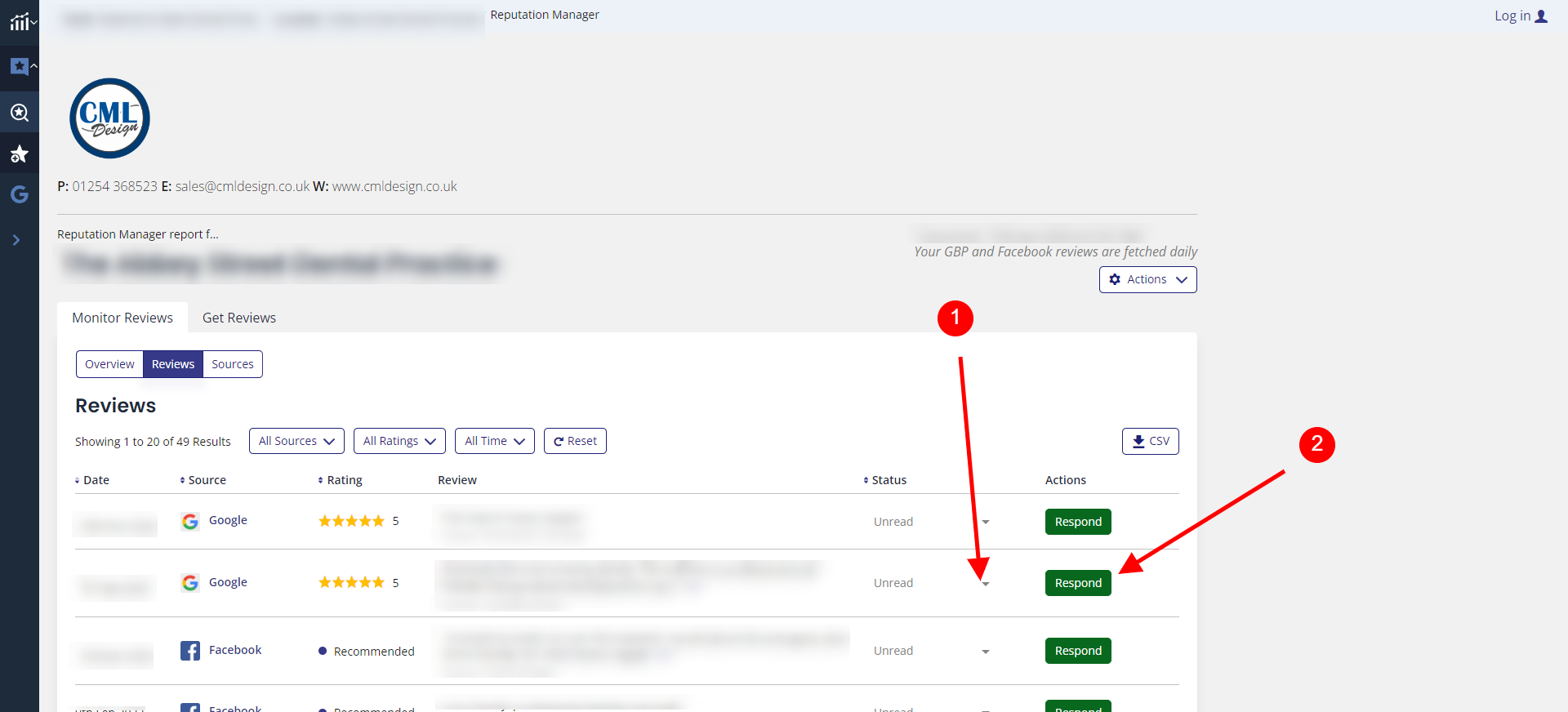
Step 4: In order to post a response you will be required to login with your password for the review dashboard first.
Review response: Type a custom response or use AI to generate a response for you!
Online reviews have become an integral part of the consumer decision-making process. Whether positive or negative, customer reviews provide valuable insights and can significantly impact a business’s reputation and success. It is crucial for businesses to understand the importance of responding to reviews and how to do so effectively. In this guide, we will address some commonly asked questions related to responding to reviews.

Responding to reviews – FAQ’s
How do you professionally respond to a review?
When responding to reviews, it’s essential to maintain a professional and courteous tone.
Here are some key steps to follow:
- a) Thank the reviewer: Begin by expressing gratitude for the feedback and acknowledgement of their time and effort.
- b) Address the reviewer by name: Personalise your response by using the reviewer’s name if available. This shows that you value their input as an individual.
- c) Apologise if necessary: If the review highlights a negative experience, apologize sincerely and empathetically. Assure the reviewer that their concerns will be addressed promptly.
- d) Offer a solution: Provide a solution or propose ways to resolve any issues mentioned in the review. This demonstrates your commitment to customer satisfaction.
- e) Encourage offline communication: When appropriate, encourage the reviewer to contact you directly to further discuss their concerns. This allows you to handle the matter privately and offer a more personalized resolution.
What is a good response to a positive review?
Positive reviews are a great opportunity to strengthen your relationship with satisfied customers. Here’s an effective response strategy:
- a) Express gratitude: Show appreciation for the positive feedback and acknowledge the reviewer’s satisfaction.
- b) Be specific: Highlight specific aspects of their review that resonate with your business. This demonstrates that you pay attention to details.
- c) Encourage repeat business: Invite the customer to visit again or avail themselves of other services/products you offer. This enhances customer loyalty.
How should you respond to Google reviews?
Google reviews carry significant weight due to their wide reach and visibility. Follow these steps to respond effectively on Google:
- a) Monitor and respond promptly: Regularly monitor your Google business listing and respond to reviews promptly. This shows that you value customer feedback and are attentive to their concerns.
- b) Use Google Business Profile tools: Utilise the features provided by Google, such as pre-populated responses and the ability to flag inappropriate reviews.
- c) Remember Google’s content policies: Be aware of Google’s guidelines and policies when crafting your responses. Avoid disclosing personal information, using offensive language, or engaging in arguments.
How to respond to a 1-star review (with a sample response)?
Addressing a negative 1-star review requires a delicate balance of empathy and professionalism. Consider this sample response:
“Dear [Reviewer Name],
Thank you for bringing your concerns to our attention. We apologize for the inconvenience you experienced during your recent visit. We strive to provide excellent service, and your feedback is valuable in helping us improve.
We would like to make things right and would appreciate the opportunity to discuss this further. Please reach out to our customer service manager at [phone number or email address]. We genuinely care about resolving this matter to your satisfaction.
Warm regards,
[Your Name]”
Responding to reviews is an essential aspect of managing your online reputation. By acknowledging feedback, addressing concerns, and providing solutions, businesses can build trust, establish strong customer relationships, and demonstrate their commitment to continuous improvement. Incorporating these strategies into your review response process will contribute to a positive brand image and set your business apart from the competition.
If you don’t currently use our reputation management service please contact us to discover how we can help your business or visit this site for more information: https://reputation-management.xyz
TL;DR
STEP 1: Visit your business page with us:
STEP 2: Click on the REPUTATION MANAGER section, then the MANAGE REVIEW tab
STEP 3: Click the RESPOND button next to the review you want to respond to and enter your password when prompted
STEP 4: Generate a response by AI or compose your own response, and finally hit SUBMIT RESPONSE
Try to respond promptly to new reviews and try to post a unique response to every one you receive. This will show Google and customers that you actively monitor your profile and they will rank you higher as a result!
Whether you use a dedicated review management service or not there are multiple benefits to posting a prompt response to any reviews you receive:


