

Do you need to connect additional social profiles to your content calendar in ContentStudio? Follow our guide (with pictures) for help:
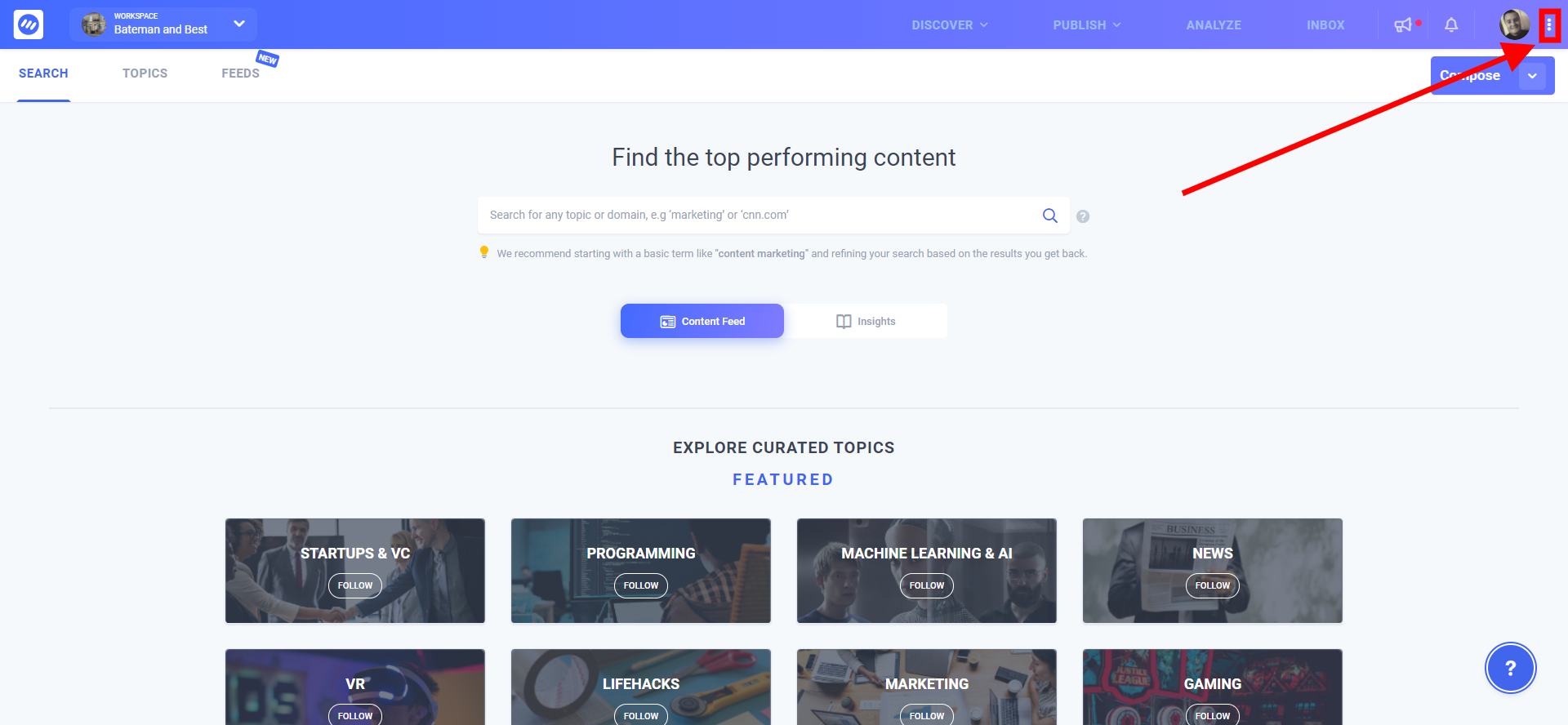
- After you’ve logged in to your account click on the three dots in the top right-hand side to bring up the account menu.
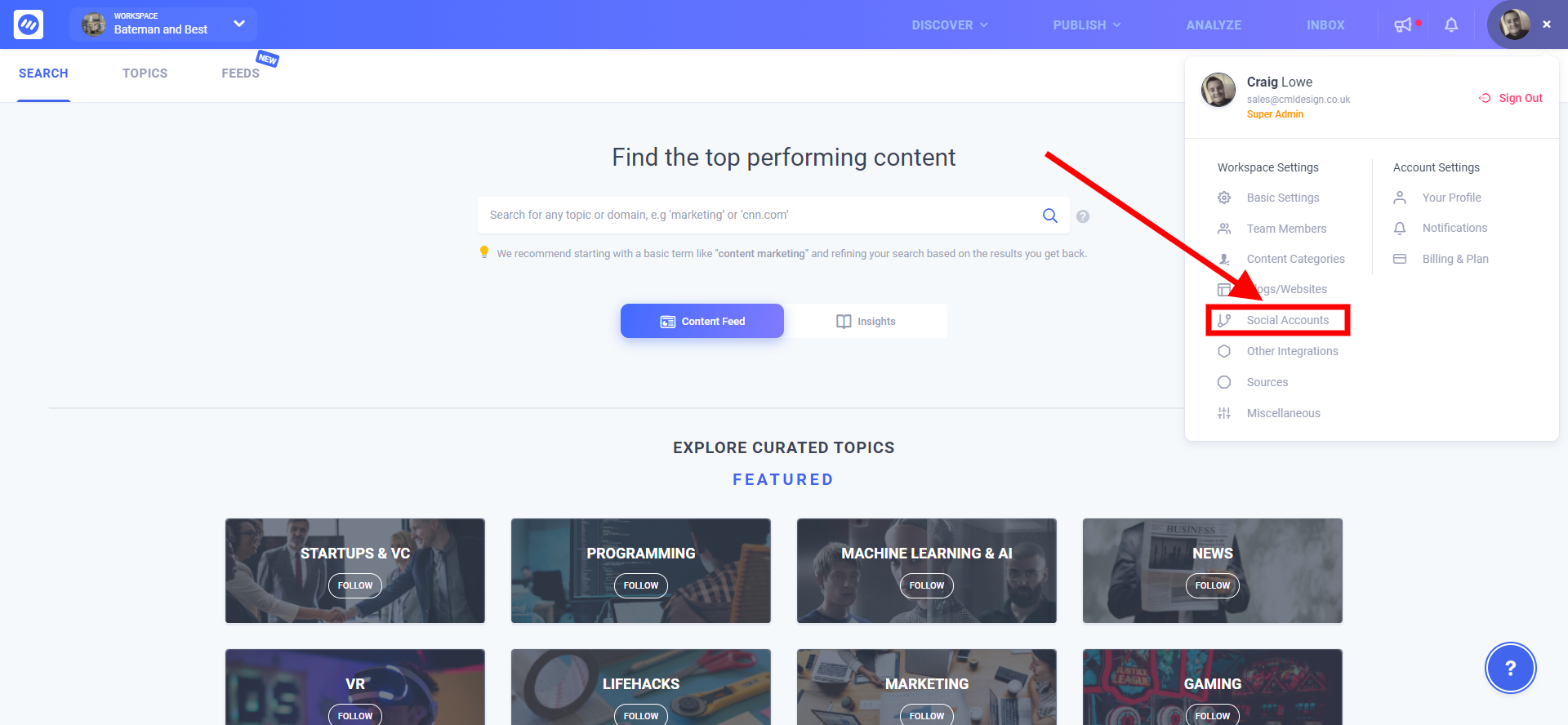
2. From the menu select Social Accounts under Workplace Settings.
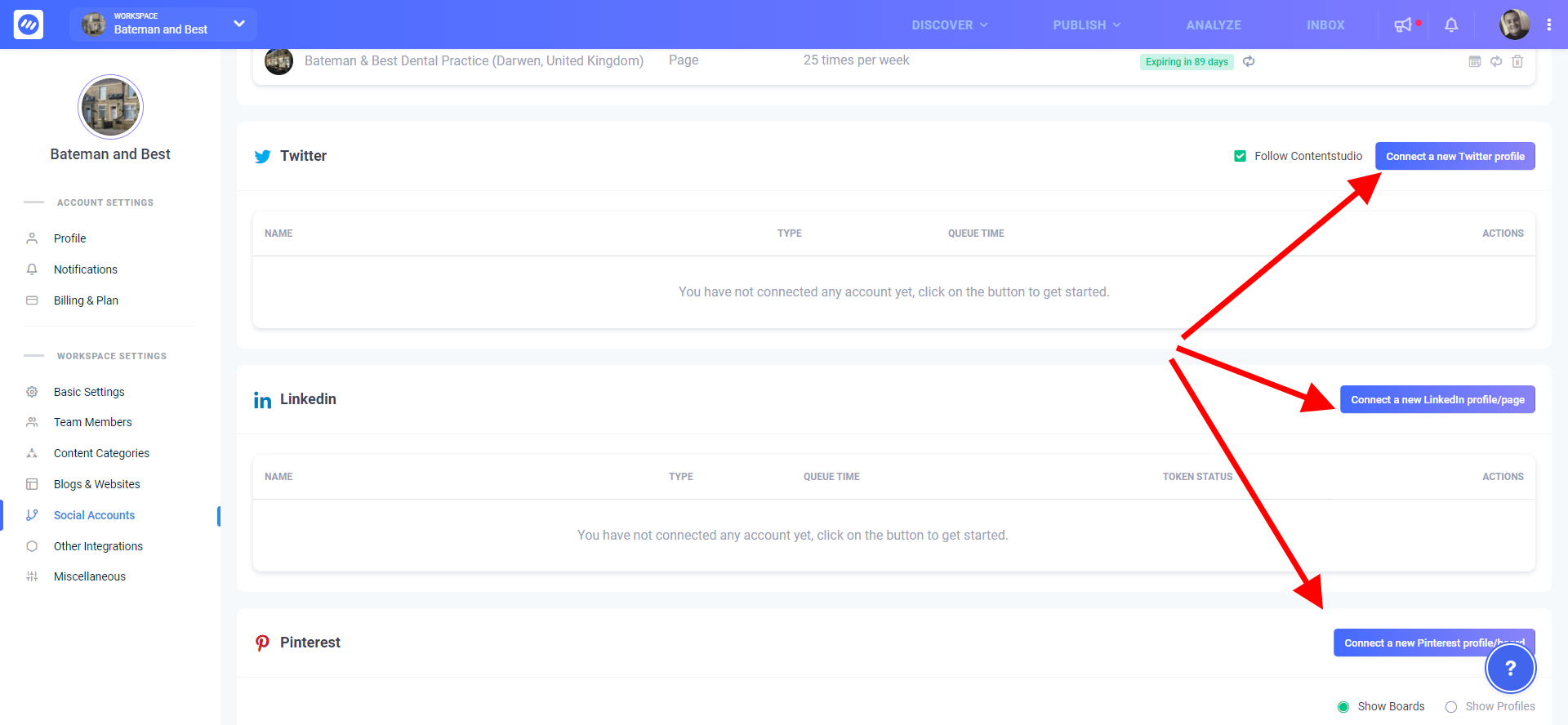
3. On the page which loads up proceed to connect your social profiles for Facebook, Twitter, LinkedIn etc.
You can now start scheduling posts to the newly connected accounts on your content calendar!
Note: You should be logged in to the social accounts in a different browser tab ideally. If your account is associated with multiple business profiles you will be asked which one you want to link with your ContentStudio account.


