

If you want to know how to edit your website content in OSCommerce follow these steps:
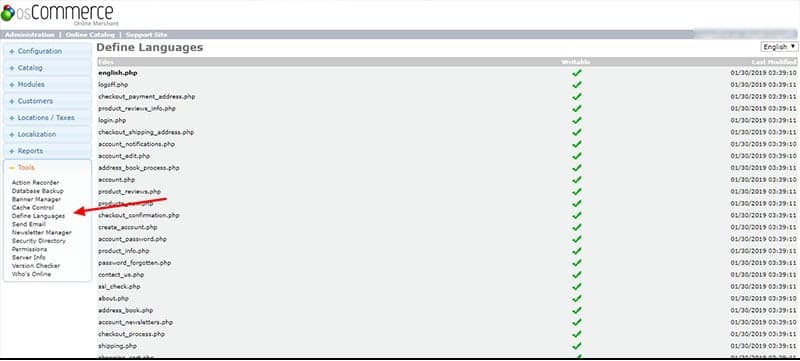
Edit Content in OSCommerce v2.3.3
- Login to the admin side of your website, entering the username and password when prompted.
- Once you are logged in navigate to [TOOLS] then [DEFINE LANGUAGES]
From here you can edit the text shown on the front end for the majority of pages. The main one being index.php. Important note: you should ALWAYS back-up or copy your files BEFORE you edit them so you can revert back to the original if anything goes wrong.
OSCommerce is coded in PHP and files should be edited inline with standard PHP code making note of this advice from oscommerce:
|


